AI Agent Orchestration Explained: Patterns, Tools & Workflow Design
You have built a few AI agents. Each one handles its task well — a research agent that gathers data, a writing agent that drafts content, a QA agent that checks for errors. But when you try to combine them into a coherent system, things fall apart. Agents overwrite each other’s work. Critical steps get skipped. Errors cascade silently. The whole thing feels fragile.
That is the orchestration problem. And it is the single biggest bottleneck between building a working prototype and deploying a reliable multi-agent system in production.
In this deep-dive, we cover what AI agent orchestration actually means, how it differs from traditional automation, the core patterns you need to know, the tools that make it practical, and how to design workflows that scale.
If you are new to agents, start with AI Agent Fundamentals and AI Agent Architecture before reading this. Orchestration builds on those concepts.
What Is Agent Orchestration?
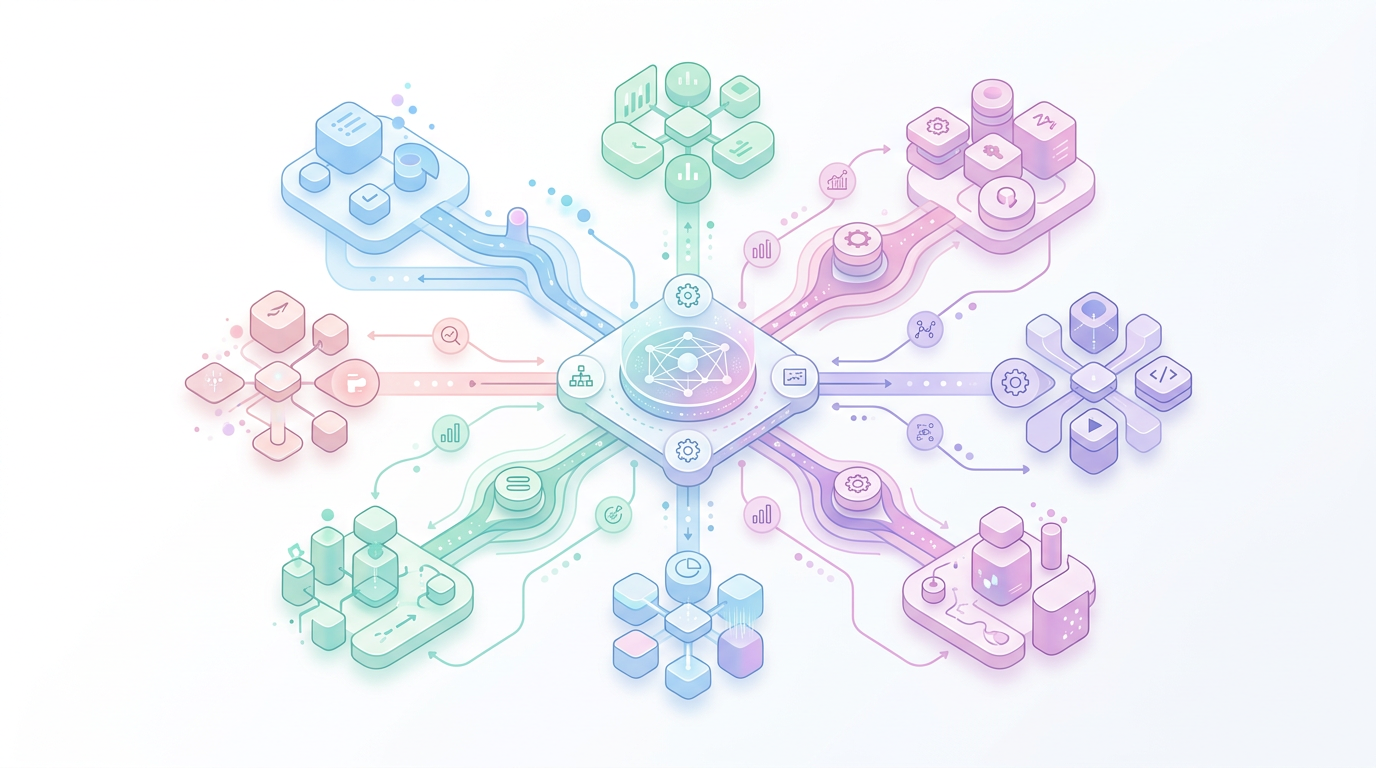
Agent orchestration is the coordination layer that determines how multiple agents work together to accomplish a complex task. It defines the sequence of execution, how data flows between agents, what happens when something fails, and when a human needs to step in.
Think of it this way: an agent is a worker. Orchestration is the project manager that assigns tasks, monitors progress, handles exceptions, and ensures the final output meets requirements.
Without orchestration, you have a collection of isolated agents that each do their own thing. With orchestration, you have a system.
What orchestration is not
A few common misconceptions:
- Orchestration is not just chaining prompts. Passing output from Agent A into Agent B’s prompt is a start, but it does not handle retries, error recovery, branching logic, or parallel execution.
- Orchestration is not workflow automation. Traditional workflow tools (Zapier, n8n) follow rigid if-then rules. Agent orchestration deals with dynamic decisions where the next step depends on context, not just triggers.
- Orchestration is not the same as the agent itself. The agent decides what to do with a task. The orchestrator decides which agent gets the task, when, and what happens next.
Orchestration vs. Automation — Key Differences
| Dimension | Traditional Automation | AI Agent Orchestration |
|---|---|---|
| Decision logic | Fixed rules (if X then Y) | Dynamic, context-aware |
| Error handling | Retry or fail | Reason, adapt, escalate |
| Data flow | Rigid pipelines | Flexible, agent-mediated |
| Human involvement | Approval gates | Human-in-the-loop when needed |
| Scalability | Add more triggers | Add more agents |
| Best for | Repetitive, predictable tasks | Complex, variable tasks |
The shift from automation to orchestration is not about replacing one with the other. Most production systems use both: traditional automation for structured workflows, agent orchestration for the judgment-intensive steps in between.
Core Orchestration Patterns
There are four fundamental patterns that cover the vast majority of multi-agent orchestration scenarios. Understanding these patterns is the key to designing reliable systems.
1. Sequential (Pipeline)
The simplest pattern. Agent A completes its task, passes the result to Agent B, which passes to Agent C, and so on. Each agent has a clear input and output. The orchestrator manages the chain.
When to use:
– The task has a clear linear progression
– Each step depends on the previous step’s output
– You need predictable, auditable execution
Example: Research agent → Outline agent → Writing agent → Editing agent → Publishing agent
Input → [Research] → [Outline] → [Draft] → [Edit] → Output
Trade-offs: Easy to implement and debug. But if one agent fails or takes too long, the entire pipeline stalls. No parallelism.
2. Parallel (Fan-out / Fan-in)
The orchestrator splits a task into subtasks, distributes them to multiple agents simultaneously, then collects and merges the results. Also called “map-reduce” in some contexts.
When to use:
– The task can be decomposed into independent subtasks
– You need speed — parallel execution is faster than sequential
– Results can be meaningfully combined
Example: Three research agents each investigate a different competitor, then a synthesis agent produces a comparison report.
         ┌→ [Agent A] →┐
Input →  ├→ [Agent B] →├→ [Synthesis] → Output
         └→ [Agent C] →┘
Trade-offs: Much faster for independent subtasks. But you need a good merging strategy, and partial failures are harder to handle.
3. Event-driven (Reactive)
Agents respond to events or messages rather than following a predetermined sequence. The orchestrator acts as a message bus or event router, dispatching work based on what happens at runtime.
When to use:
– The workflow is unpredictable
– You need to respond to external signals (user input, API callbacks, system events)
– The system must be resilient and self-healing
Example: A customer support system where incoming tickets trigger different agents based on category, urgency, and sentiment.
Event → [Router] → Agent A (billing)
                  → Agent B (technical)
                  → Agent C (escalation)
Trade-offs: Extremely flexible and resilient. But harder to reason about, debug, and test. You lose deterministic execution.
4. Hierarchical (Supervisor)
A supervisor agent manages a team of worker agents. It decomposes tasks, assigns them, monitors progress, and handles failures. Worker agents report back to the supervisor, not to each other.
When to use:
– You have a complex task that requires dynamic decomposition
– Different subtasks need different agent capabilities
– You want centralized control and visibility
Example: A supervisor receives a research brief, assigns fact-checking to one agent, data analysis to another, and writing to a third — then reviews and integrates the results.
           ┌→ [Worker A]
[Supervisor] ├→ [Worker B] → [Supervisor] → Final Output
           └→ [Worker C]
Trade-offs: Powerful and flexible. The supervisor itself becomes a bottleneck and a single point of failure. Design the supervisor carefully.
Choosing the right pattern
| Scenario | Recommended Pattern |
|---|---|
| Linear content pipeline | Sequential |
| Multi-source research | Parallel |
| Customer support triage | Event-driven |
| Complex project with mixed tasks | Hierarchical |
| Production system with SLAs | Sequential + Event-driven fallback |
Most real-world systems combine patterns. A hierarchical supervisor might dispatch parallel subtasks, each of which follows a sequential pipeline internally.
Tools & Frameworks
The orchestration tooling landscape has matured significantly. Here are the frameworks worth evaluating.
LangGraph (LangChain)
LangGraph models agent workflows as state graphs — nodes are steps, edges are transitions, and state is carried through the graph. It supports conditional branching, loops, human-in-the-loop breakpoints, and persistence.
Strengths:
– Fine-grained control over execution flow
– Built-in state management and checkpointing
– Native support for human-in-the-loop
– Good for complex, production-grade workflows
Best for: Teams that need precise control over orchestration logic and want to build custom workflows from scratch.
CrewAI
CrewAI takes a higher-level approach. You define agents (with roles, goals, and tools) and tasks, then assign them to a crew. The framework handles execution, delegation, and communication.
Strengths:
– Intuitive API — fast to prototype
– Built-in delegation and inter-agent communication
– Role-based agent design maps well to team structures
– Enterprise features (visual builder, monitoring)
Best for: Teams that want快速 (rapid) development and have use cases that map naturally to team-based collaboration.
AutoGen (Microsoft)
AutoGen focuses on conversational agents — agents that collaborate through structured conversations. It supports multi-agent chat, code execution, and human feedback loops.
Strengths:
– Strong support for code execution environments
– Conversational paradigm is natural for many use cases
– Active research community
– Good for research and experimentation
Best for: Research teams and use cases where agent dialogue and code execution are central.
Other options
- Semantic Kernel (Microsoft): More enterprise-oriented, good for .NET shops
- Haystack (deepset): Strong for RAG-focused orchestration
- Custom orchestration: For simple cases, a well-structured Python script with clear state management can outweight framework overhead
Framework comparison at a glance
| Feature | LangGraph | CrewAI | AutoGen |
|---|---|---|---|
| Paradigm | State graph | Role-based crew | Conversational |
| Learning curve | Medium-high | Low-medium | Medium |
| Control | Fine-grained | High-level | Medium |
| Human-in-the-loop | Native | Supported | Native |
| Best for | Production workflows | Rapid prototyping | Research |
| Maturity | High | High | Medium-high |
Designing an Orchestration Workflow
Theory is useful. But the real question is: how do you design an orchestration workflow for a specific problem? Here is a practical framework.
Step 1: Decompose the task
Start with the end goal. Break it into subtasks. For each subtask, ask:
– Does this require judgment or just execution?
– Can it run independently or does it depend on other subtasks?
– What input does it need? What does it produce?
– What happens if it fails?
Step 2: Map agents to subtasks
Each subtask that requires reasoning, context understanding, or dynamic decisions gets an agent. Subtasks that are purely mechanical (API calls, data transforms) can be functions or traditional automation.
Step 3: Choose the orchestration pattern
Based on the task decomposition:
– Linear dependencies → Sequential
– Independent subtasks → Parallel
– Unpredictable triggers → Event-driven
– Complex decomposition → Hierarchical
Step 4: Define state and data flow
What information does each agent need? How is it passed? Common approaches:
– Shared state store: All agents read/write to a central state object
– Message passing: Agents communicate through structured messages
– Context injection: The orchestrator injects relevant context into each agent’s prompt
Step 5: Add guardrails
This is where Security & Guardrails become critical:
– Set maximum iterations per agent to prevent infinite loops
– Define confidence thresholds — if an agent is unsure, escalate
– Log every decision for audit trails
– Implement human-in-the-loop for high-stakes actions
– Set timeouts and fallback behavior
Step 6: Test incrementally
Do not try to test the entire system at once. Test each agent individually, then test the orchestration logic with mocked agents, then run end-to-end with small inputs.
Common Pitfalls
Over-engineering from the start. Start with the simplest pattern that works. You can add complexity later when you have real failure modes to address.
Ignoring state management. In a multi-agent system, state is everything. If you do not track what each agent has done, what it produced, and what the current context is, debugging becomes impossible.
Treating all agents the same. Not every task needs an LLM agent. Some steps are better handled by rules, databases, or simple scripts. Mix orchestration approaches.
Skipping error handling. Agents fail. APIs time out. Models hallucinate. Your orchestration must handle these gracefully — with retries, fallbacks, and human escalation paths.
No visibility. If you cannot see what your agents are doing, you cannot improve the system. Invest in logging, tracing, and monitoring from day one.
Conclusion
AI agent orchestration is the discipline that turns isolated agents into reliable systems. It is not about choosing the fanciest framework — it is about understanding your task decomposition, picking the right pattern, and building guardrails that let you operate with confidence.
The patterns are clear: sequential for pipelines, parallel for speed, event-driven for flexibility, hierarchical for complexity. Most production systems combine them.
Start with one pattern, one workflow, and one failure mode. Prove it works. Then expand.
Ready to go deeper? Explore AI Agent Fundamentals, AI Agent Architecture, and Multi-Agent Systems to build on the concepts in this guide. If you want to see orchestration in action, check our Workflow Automation guide for practical implementation patterns.
FAQ
What is the difference between AI agent orchestration and traditional workflow automation?
Traditional workflow automation follows fixed rules — if X happens, do Y. AI agent orchestration handles dynamic decisions where the next step depends on context, agent reasoning, and real-time data. Orchestration is for judgment-intensive tasks; automation is for repetitive, predictable ones.
Which orchestration pattern should I start with?
Start with the sequential pattern (pipeline) if your task has a clear linear flow. It is the easiest to implement, debug, and test. Move to parallel or event-driven patterns when you have specific performance or flexibility requirements that sequential cannot meet.
Do I need a framework for agent orchestration?
Not always. For simple workflows (2-3 agents, linear flow), a well-structured Python script may be sufficient. Frameworks like LangGraph, CrewAI, or AutoGen become valuable when you need state management, error recovery, parallel execution, or human-in-the-loop capabilities.
How do I handle agent failures in an orchestration workflow?
Implement three layers: (1) retries with exponential backoff for transient failures, (2) fallback agents that can handle the task with reduced capability, and (3) human escalation for critical failures. Always log the failure context for debugging.
What is the role of a supervisor agent?
A supervisor agent decomposes complex tasks, assigns subtasks to worker agents, monitors progress, and integrates results. It provides centralized control and visibility. The trade-off is that the supervisor itself becomes a potential bottleneck and single point of failure.
Can I mix orchestration patterns in one system?
Yes, and most production systems do. A common approach is a hierarchical supervisor that dispatches parallel subtasks, each of which follows a sequential pipeline internally. The key is to keep each subsystem simple and well-tested.